
Car Parking Multiplayer 2 MOD APK (Unlimited Money and Gold)
Car Parking Multiplayer 2 MOD APK is the modified edition of the hit parking simulator from Olzhass, the developer behind one of the most played driving games on mobile. Where the original Car Parking Multiplayer focused on realistic parking challenges and open-world driving, the sequel pushes everything further with sharper visuals, bigger maps and a more connected multiplayer world. The MOD version takes the experience one step further by unlocking unlimited money and unlimited gold, so you can buy any vehicle, customise it from bumper to bumper and enjoy the premium side of the game from the very first minute.
If you have ever felt held back by slow in-game earnings or locked content, this version removes those limits entirely. Below you will find the key details of the MOD, its premium features, what is new in CPM 2 compared with the original, a step-by-step installation guide and answers to the questions players ask most often.
| App Name | Car Parking Multiplayer 2 MOD APK |
| Developer | Olzhass |
| Category | Simulation |
| Features | Unlimited Money, Unlimited Gold, All Cars Unlocked |
Premium Features
The MOD edition keeps the full gameplay of the official release and layers on premium advantages that change how you play. Here are the standout additions:
Unlimited Money
Money is the main currency in CPM 2, used to buy cars, upgrade engines and pay for visual customisation. With unlimited money, you never have to repeat missions or grind events to afford the garage of your dreams. Every car in the dealership becomes available the moment you want it, and you can experiment with different builds without worrying about the cost.
Unlimited Gold
Gold is the rarer premium currency, normally earned slowly or bought with real money. The MOD gives you an endless supply, which means instant access to exclusive vehicles, rare paint finishes and special items that free players usually have to save up for over weeks of play.
All Cars Unlocked
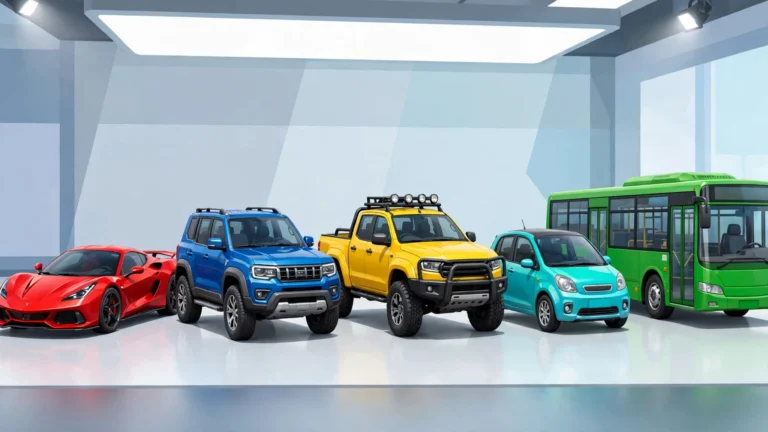
From everyday hatchbacks to high-performance sports cars, the full vehicle roster is unlocked from the start. You can take any car for a spin in free roam, test how it handles in multiplayer races or tune it for drift events without unlocking it first.
Free Customisation
Customisation is where CPM 2 really shines, and the MOD removes every paywall around it. Body kits, spoilers, rims, window tints, suspension tuning and detailed interior options can all be applied freely, so your car always looks exactly the way you imagined.
Ad-Free Experience
Modified versions typically strip out the advertisements that interrupt the official game, giving you longer, smoother sessions without pop-ups breaking your focus during a tricky parking manoeuvre or an online race.
What Is New in CPM 2
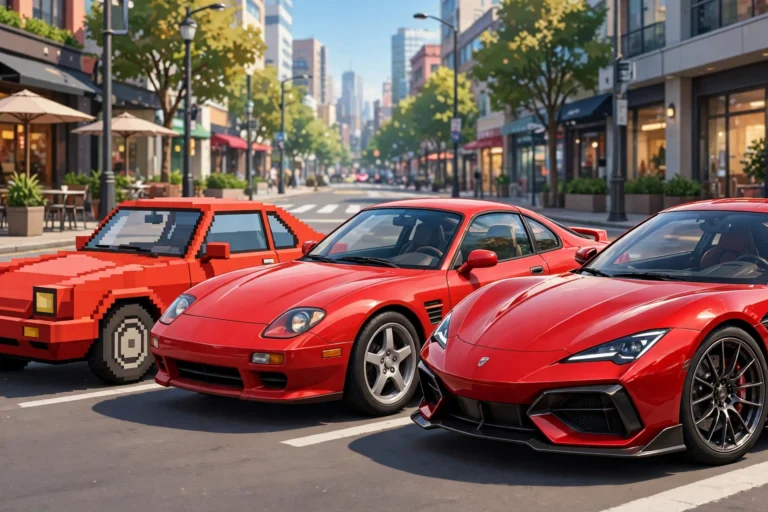
CPM 2 is a genuine step up from the original rather than a simple reskin. The most obvious change is in the graphics: lighting, reflections and car models look noticeably sharper, and environments feel more alive with extra detail in streets, buildings and scenery. New maps expand the world beyond familiar streets, giving drivers fresh areas to explore, new parking challenges to master and more room for multiplayer meet-ups. Multiplayer itself has been improved with more stable online sessions, smoother synchronisation between players and more ways to interact, from casual cruises with friends to organised car meets. Driving physics have been refined too, so cars feel weightier and more predictable, which makes both precise parking and high-speed driving more satisfying.
How to Download and Install
Installing the MOD version takes a few extra steps compared with an app store download. Follow them in order:
- Download the Car Parking Multiplayer 2 MOD APK file from a source you trust, and keep the file somewhere easy to find on your device.
- Open your phone’s settings, go to the security section and allow installation of apps from unknown sources for your browser or file manager.
- If the original game is already installed, uninstall it first so the two versions do not conflict.
- Open the downloaded APK file and tap Install, then wait for the process to finish.
- Launch the game, grant the permissions it asks for and start playing with unlimited money and gold from the beginning.
Game Modes in CPM 2
One of the main reasons CPM 2 keeps players busy for so long is the variety of ways to play. You are never limited to a single style of driving: one session can be spent learning precise parking, the next cruising around the map with friends, and the next testing how your tuned car behaves at speed.
Single Player Mode
Single player mode is where most players begin, and it works as the perfect training ground for everything else in the game. You can explore the open world at your own pace, learn how each car accelerates, brakes and turns, and experiment with tuning setups without any pressure from other players. It is also the ideal place to practise difficult manoeuvres such as reverse parking, tight turns and parallel parking before trying them online. Because there is no timer chasing you and no lobby waiting on you, mistakes cost nothing, which makes single player the best mode for building confidence.
Parking Challenges
The parking challenges are the heart of the game and the reason for its name. These structured levels ask you to guide your car into a marked space, often within a tight area, without hitting walls, kerbs or other vehicles along the way. Early challenges are forgiving and help you understand the steering, camera angles and braking distance. Later ones are far less kind, with narrow gaps, awkward angles and obstacles that punish even small errors. Completing them improves your real control over the car more than any other activity in the game, and finishing a difficult level cleanly is genuinely satisfying. Players who enjoy precision and patience will probably spend most of their time here.
Online Multiplayer
Online multiplayer turns the quiet simulator into a social world. You can join public rooms, meet other players, show them your car, chat, cruise together in convoys and take part in informal races or organised meets. The open world feels completely different when the cars around you are driven by real people rather than traffic, and no two sessions play out in the same way. A stable internet connection makes a big difference here, as lag can spoil both racing and parking. If you enjoy community play, this is likely to become your favourite mode.
Police Mode
Police mode adds a playful chase element that breaks up the calm rhythm of parking and cruising. In this style of play, one side takes on the role of the police while other players try to keep driving, escape attention or simply enjoy the pursuit. Police mode works best with friends, where everyone understands the rules of the game you have set yourselves. It is less about winning prizes and more about creating your own fun, and it shows how flexible the open world can be when players use a little imagination.
Graphics and Performance
CPM 2 looks noticeably more modern than the original game. Car models carry more detail, paint reflects light in a more believable way, and the world around you includes richer streets, buildings and scenery. Day lighting feels bright and clear, while lights, shadows and reflections give the cars a weight that the first game sometimes lacked. The result is a world that feels closer to a proper driving simulator and less like a simple parking exercise.
Performance depends heavily on your device. On a modern phone with a capable processor and enough memory, the game can run smoothly on higher settings, even in busy multiplayer areas. On older or budget devices, the highest settings may cause slower frame rates, especially when many cars are on screen at once. Lowering the graphics quality, reducing extra visual effects and closing background apps usually restores a smooth experience. It is worth spending a few minutes in the settings menu when you first install the game, because a stable frame rate makes parking far easier than maximum visual detail ever will.
Cars and Customisation in Detail
The garage in CPM 2 covers a wide range of vehicles, from small everyday cars that are perfect for tight parking levels to powerful sports cars built for speed and drifting. Each vehicle behaves differently, so a car that feels easy and forgiving in a car park may feel nervous on a fast road, while a heavy car can feel slow to turn but stable once moving. With the MOD unlocking the full roster, you can compare them all from the start instead of saving for weeks to test one car.
Customisation goes far beyond a simple change of colour. You can adjust visual parts such as body kits, bumpers, spoilers, rims and window tints, change paint finishes, and work on the stance of the car by tuning its suspension. Performance tuning lets you shape how the car drives, not just how it looks, so a thoughtful setup can make a vehicle easier to park, quicker off the line or more willing to slide in drift play. Many players build several versions of the same car for different purposes: a clean daily build, a show car for online meets and a tuned build for speed. That freedom to experiment is one of the strongest reasons the game stays popular.
CPM 2 vs CPM 1: What Changed
Players who know the original game often ask whether the sequel is a real upgrade or simply the same idea in new clothes. The honest answer is that CPM 2 keeps the core that made the first game popular, but improves almost every part of the experience around it. The table below summarises the main differences.
| Feature | CPM 1 | CPM 2 |
| Graphics | Simple, functional visuals | Sharper models, better lighting and reflections |
| Maps | Smaller, familiar areas | Larger world with more areas to explore |
| Multiplayer | Basic online rooms | Smoother sessions and more social interaction |
| Customisation | Good range of visual options | Deeper tuning for looks and performance |
| Driving feel | Light and arcade-like | Weightier, more predictable handling |
| Device demands | Runs well on most phones | Needs a stronger phone for best settings |
In short, CPM 1 remains a lighter game that suits older phones and quick parking sessions, while CPM 2 is the fuller experience for players who want better visuals, a bigger world and deeper online play. If your device can handle it, the sequel is the one most players now choose.
System Requirements and Compatibility
Because CPM 2 is a larger and more demanding game than the original, it is worth checking that your phone can run it comfortably before you download a big file. Exact requirements can change as the game is updated, but the general guidance below reflects what most players need for a smooth experience. A device that only just meets the minimum level may still run the game, yet it will usually need lower graphics settings to stay smooth.
- Operating system: A recent version of Android that the current release of the game supports.
- Memory: More RAM gives smoother play, especially in busy online areas; very low-memory phones will struggle.
- Storage: Several gigabytes of free space for the game files, plus extra room for updates.
- Processor and graphics: A mid-range or better chip is recommended for higher settings.
- Internet: A stable connection is required for online multiplayer, while offline modes work without one.
If the game feels slow after installation, work through the graphics settings from low upwards and make sure the game is fully updated. Small changes like these often turn a stuttering session into a perfectly playable one.
FAQs
Is Car Parking Multiplayer 2 MOD APK safe to install?
Modified APK files come from outside the official app stores, so they carry more risk than the Play Store version. Only download from sources you trust, scan the file if you can and keep in mind that mods are not supported by the developer.
Do I need to root my Android phone to use the MOD?
No. The MOD APK installs like a normal app and does not require root access. You only need to allow installs from unknown sources during setup.
Can I play multiplayer with the MOD version?
Multiplayer may work, but modded versions can behave differently from the official release and accounts using mods risk restrictions on official servers. For the safest online experience, the official version is the better choice.
Does Car Parking Multiplayer 2 work offline?
Yes, in part. Single player driving and the parking challenges can be enjoyed without an internet connection. Anything social, including online rooms, meeting other players and joining friends, needs a working connection, and a stable one will give you a far smoother session than a weak signal.
Will my progress move across if I return to the official version?
Not always. Progress in a modified version is often stored differently from the official game, and cars, money or settings earned in the MOD may not appear if you install the store version later. Treat the MOD as a separate experience, enjoy experimenting with it, and do not rely on it as the only copy of progress you care about keeping.
Why does CPM 2 lag on my phone, and how can I improve it?
Lag usually comes from high graphics settings on a modest device, too many background apps, or a phone that is short of free storage. Lower the graphics quality step by step, close other apps before you play, restart the phone now and then, and keep some storage space free. In multiplayer, your connection matters too, so playing on a stable Wi-Fi network often feels much smoother.